Your AI plans it.
Parameter runs it.
Ask for a week of training and it appears on your phone and watch, ready to run. Afterward your AI reads the set-by-set logs, effort ratings, notes, and heart-rate data, and adjusts next week. Works with Claude, ChatGPT, Gemini, Grok, Perplexity, and any MCP client.
Plans arrive on phone and watch, ready to run. Real app components shown.
The whole workout, run from the wrist.
The watch app is fully independent: leave the phone at home and nothing is missing. When both devices are present, they mirror live and either one is the remote. Check off a set on the phone and the watch responds, even when the phone is locked.
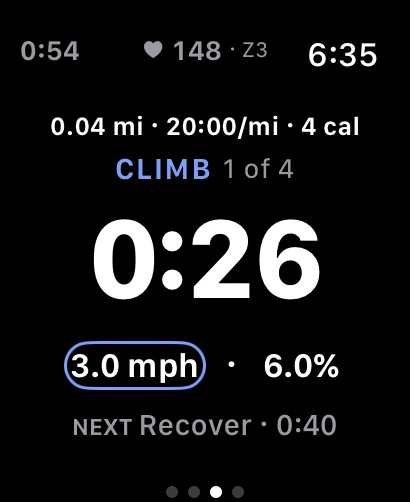
Live heart rate, colored by zone. Segments advance themselves.
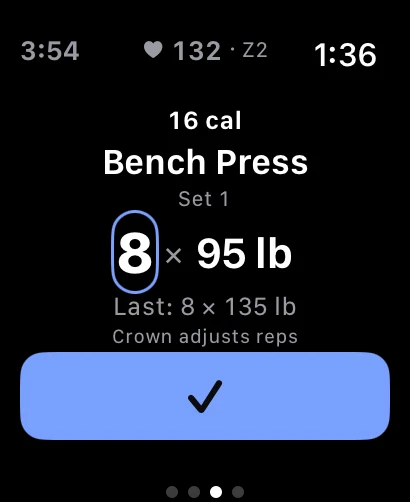
Check off sets from the wrist. The phone stays in the bag.
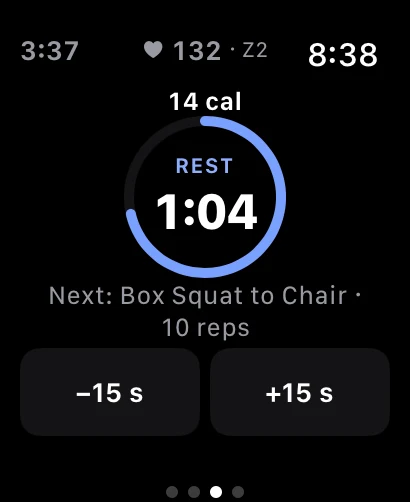
Rest timers count down on the wrist and tap you when it's time.
Crown adjustments
Turn the crown to adjust a load or a speed mid-set.
A haptic vocabulary
Each event has its own tap. You learn them in a workout or two.
Either device leads
Pause on the watch, resume on the phone. Both stay right.
Rate it from the wrist
Effort rating and notes right after the workout ends.
One plan. One history. Stop stacking two apps.
Five workout types, all first-class: intervals, strength routines, simple sessions, external classes, and real rest days with active-recovery guidance instead of an empty gap. Your AI sees all of it.
Strength, with the details that matter.
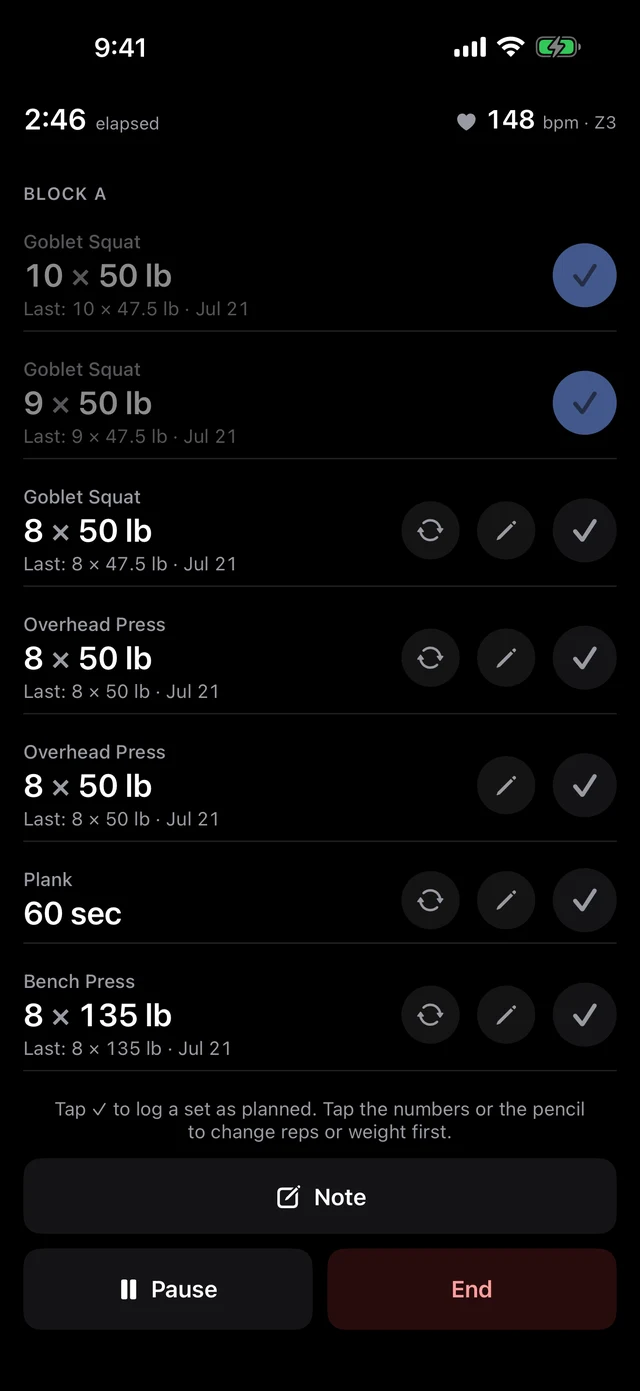
Straight sets, supersets, and circuits run as a block-by-block checklist. Nothing to type mid-workout unless something changed.
Previous performance sits under every set. The only question you have mid-workout, answered where you're looking.
Did it as planned? Check. Did something else? Adjust, then check. Both take seconds.
Starts itself after each set. Background the app and the rest-over notification can log the next set, or adjust it, without reopening the app.
Rack's taken? Swap the exercise mid-workout from curated suggestions. The deviation is logged, so your AI knows.
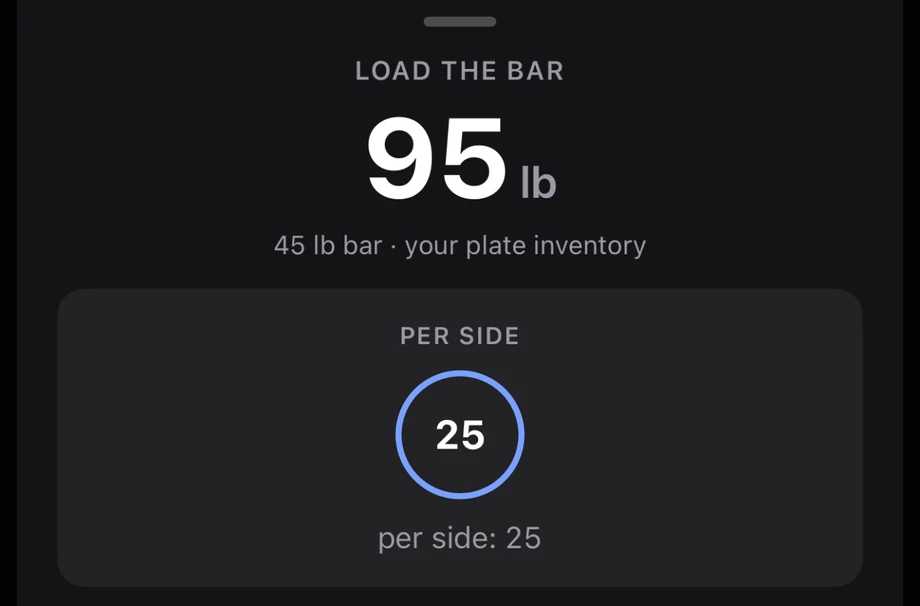
The plate calculator knows your rack.
Tell it once which plates you actually own. From then on, every target load becomes a per-side breakdown of your real inventory, not a textbook gym's.
When the exact number can't be built, it says so and offers the nearest loads you can, just below and just above. No mental math at the bar.
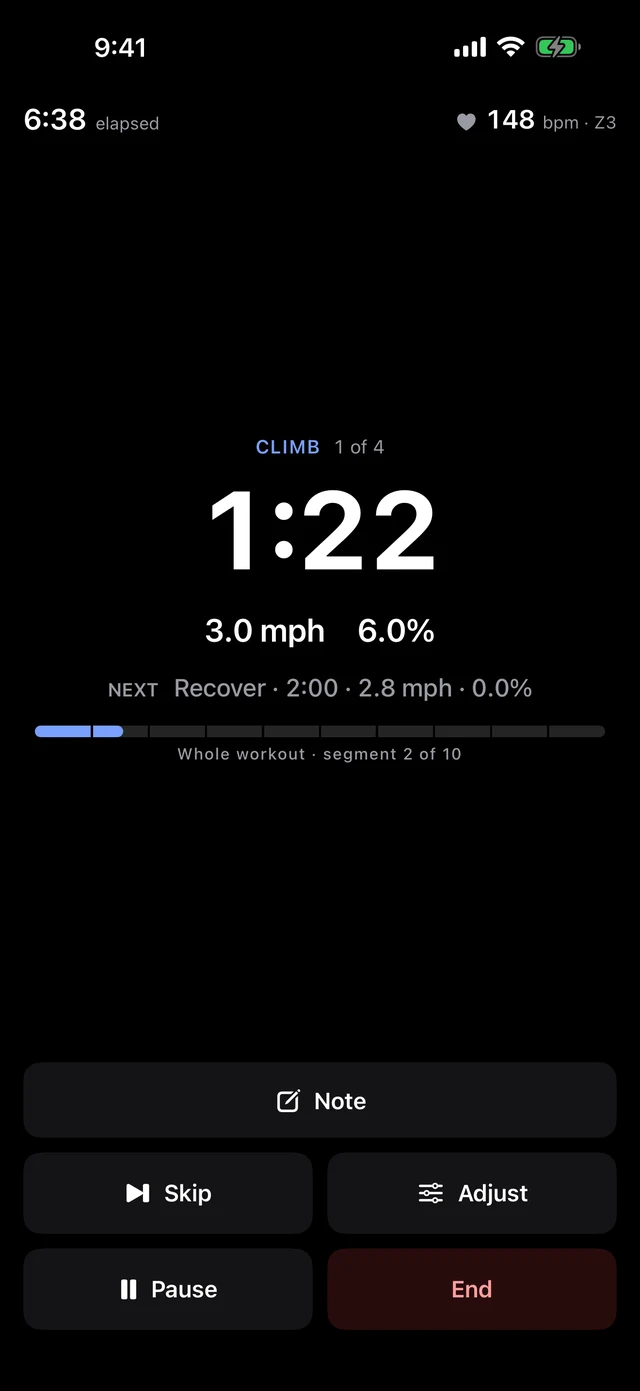
Intervals, executed exactly.
The current segment fills the screen: what you're doing, at what target, for how much longer. You never wonder where you are in the workout.
Segments change themselves, each with a distinct sound and haptic. A 5-4-3-2-1 countdown leads every transition.
The next segment previews before it arrives, so the change of pace is never a surprise.
Too hot, too easy? Adjust the target mid-segment. The change is recorded as a deviation, not papered over.
If your heart rate drifts out of the target zone, a calm amber banner says so. No alarms, no shouting.
Cardio and sport sessions.
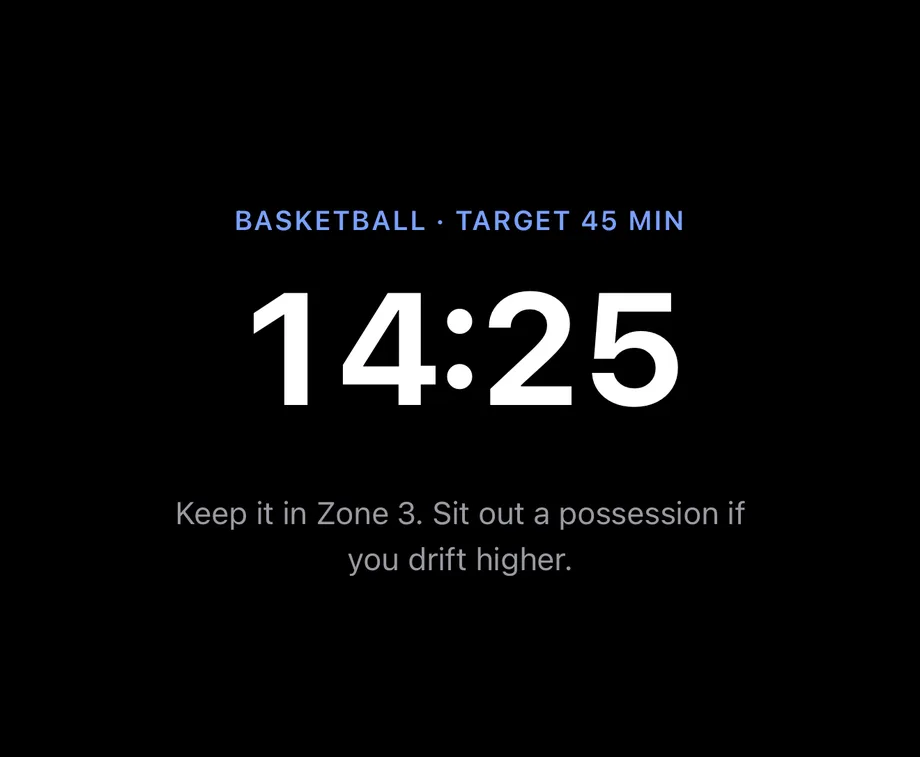
Runs, swims, and walks get a target and a timer. Open sport sessions, basketball and friends, run with live heart rate and Z1 to Z5 zone targets from your profile.
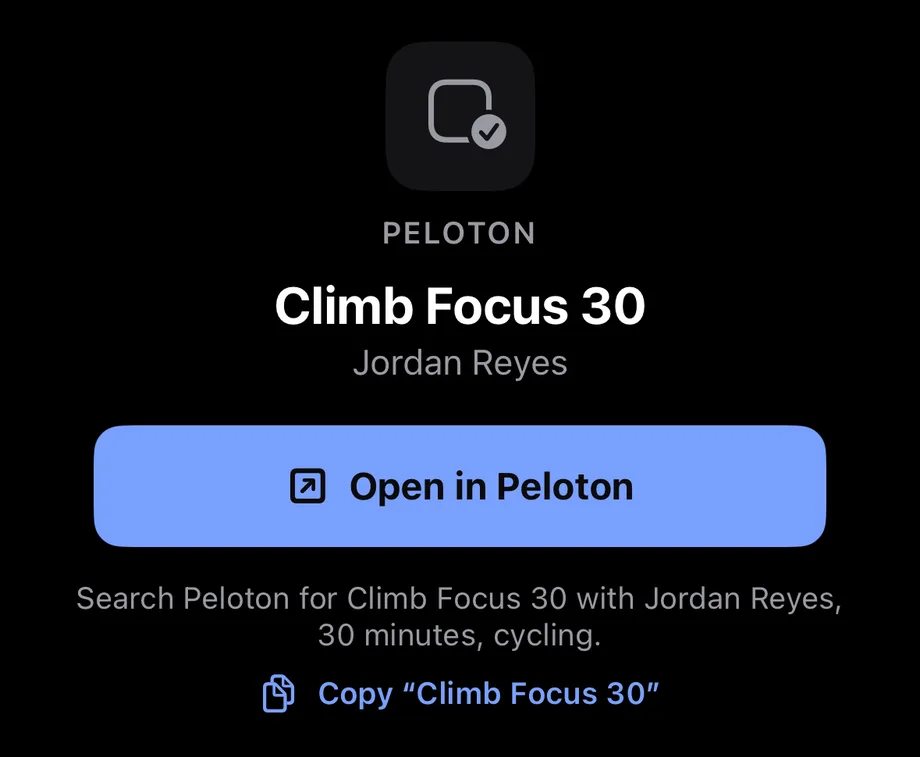
External classes count.
Parameter deep-links into Peloton and many other class apps, and the finished HealthKit workout imports into your history like any other completed workout, where your AI can see it. One plan, one history: your Tuesday class counts.
Parameter sets the treadmill. You just run.
On Bluetooth FTMS treadmills, bikes, and rowers, Parameter pushes each segment's speed, incline, resistance, or power to the machine and verifies every setpoint took. Ask for stay-in-zone and it eases the machine up and down to hold your heart rate there. No competitor pairs this with AI planning.
You keep the console. Nudge the speed yourself and Parameter follows your override and logs it. It never fights you.
Parameter never starts or stops the machine. The belt moves when you say so, full stop.
Your wrist heart rate can broadcast to many consoles' chest-strap pairing menus, so the machine's own display shows your number.
Works with FTMS-compatible machines. HR broadcast pairs with many consoles, not every one.
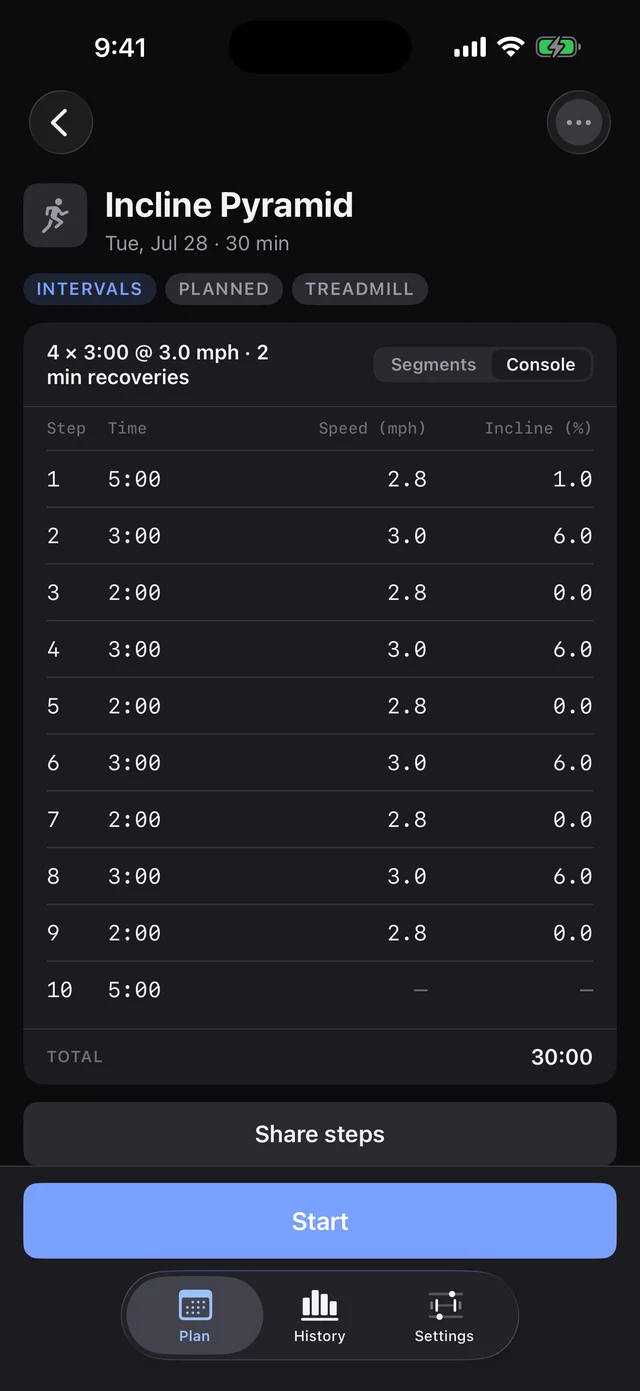
No smart machine? Key it in.
For machines Parameter can't control, any interval workout flattens into a numbered step table: step, time, speed, incline. Prop the phone on the console, key in each step as it comes, and go.
It works with machines that cannot have intervals programmed into them at all, including the hotel's.
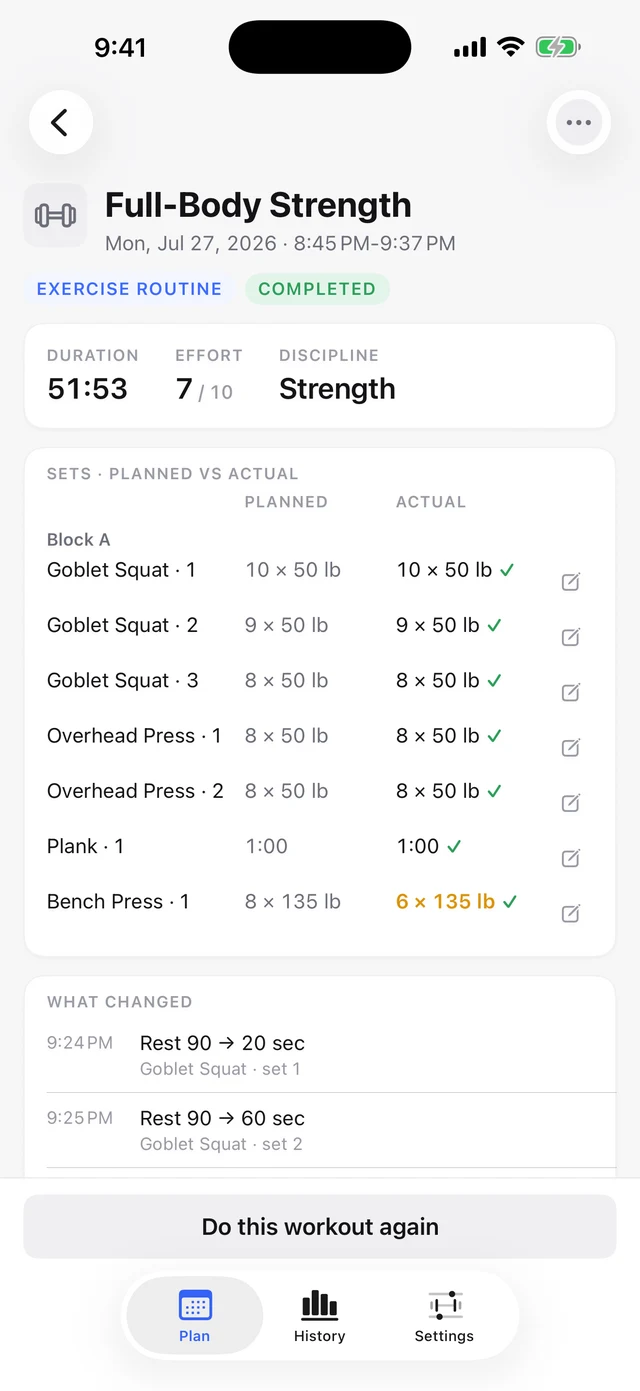
Planned next to actual. Always both.
Every deviation records itself: changed reps, an adjusted speed, a substituted exercise. The detail view shows the plan and what actually happened, side by side. This is what makes "your AI reads how it went" true rather than a slogan.
Say "left knee felt off on set three" mid-workout. The note timestamps itself to that set, and your AI reads it later.
Fix a weight, add a set, correct a time. History is yours to correct.
Full JSON and CSV export. Free, forever. Export paywalls are a category sin we don't commit.
A skipped workout is gray, not red.
"Not done" is a fact, not a failure. There are no streaks to break, no flames to keep lit, and no re-engagement notifications, ever. Notifications do four jobs: morning summary, workout reminders, rest timers, and check-ins. None of them is marketing.
Sick, injured, traveling? One tap sets your status. Reminders pause, the tone softens, and your AI is required to plan around it.
Taking it easy. Your AI will see this next time it plans.
Real app components. Gray means not done. That's the whole event.
The depth is there when you want it.
Live Activity
Elapsed time and current segment on the lock screen and Dynamic Island, with Pause and End.
Widgets everywhere
Home screen, lock screen, watch complications, Smart Stack.
Siri and Shortcuts
Start, skip, log effort, or set status by voice. The Ultra's Action Button starts your workout.
Manual builders
Full interval and strength builders, templates, copy and repeat. Complete without an AI.
Exercise catalog
401 exercises, 557 aliases, substitution suggestions, custom entries.
Equipment catalog
About 110 equipment types, plate and dumbbell inventories, per-machine click increments.
Heart-rate zones
Z1 to Z5 from your profile, hand-editable, with drift alerts. Not a paid upgrade.
History and trends
Weekly volume, effort trend, estimated 1RM, adherence. Filterable log.
Never loses a set
Every check-off is saved before the screen advances. A crash never costs you a workout.
Auto-pause, politely
Stillness detection asks before pausing and never auto-ends. Overtime gets a "still going?" check-in.
Status system
Sick, injured, traveling, on break. One tap, and everything adapts.
Swim-ready
Water lock engages itself for swim workouts.
HealthKit
Reads and writes, both directions. Your rings still close.
Free full export
One zip, complete JSON, CSV, and a plain-language README.
Pure SwiftUI
Zero third-party SDKs. No ads, no analytics, no noise.
A logger you'd keep even without the AI.
With it, a coach.
Free to use. The AI connection is $1/month.